Every pipeline, one screen
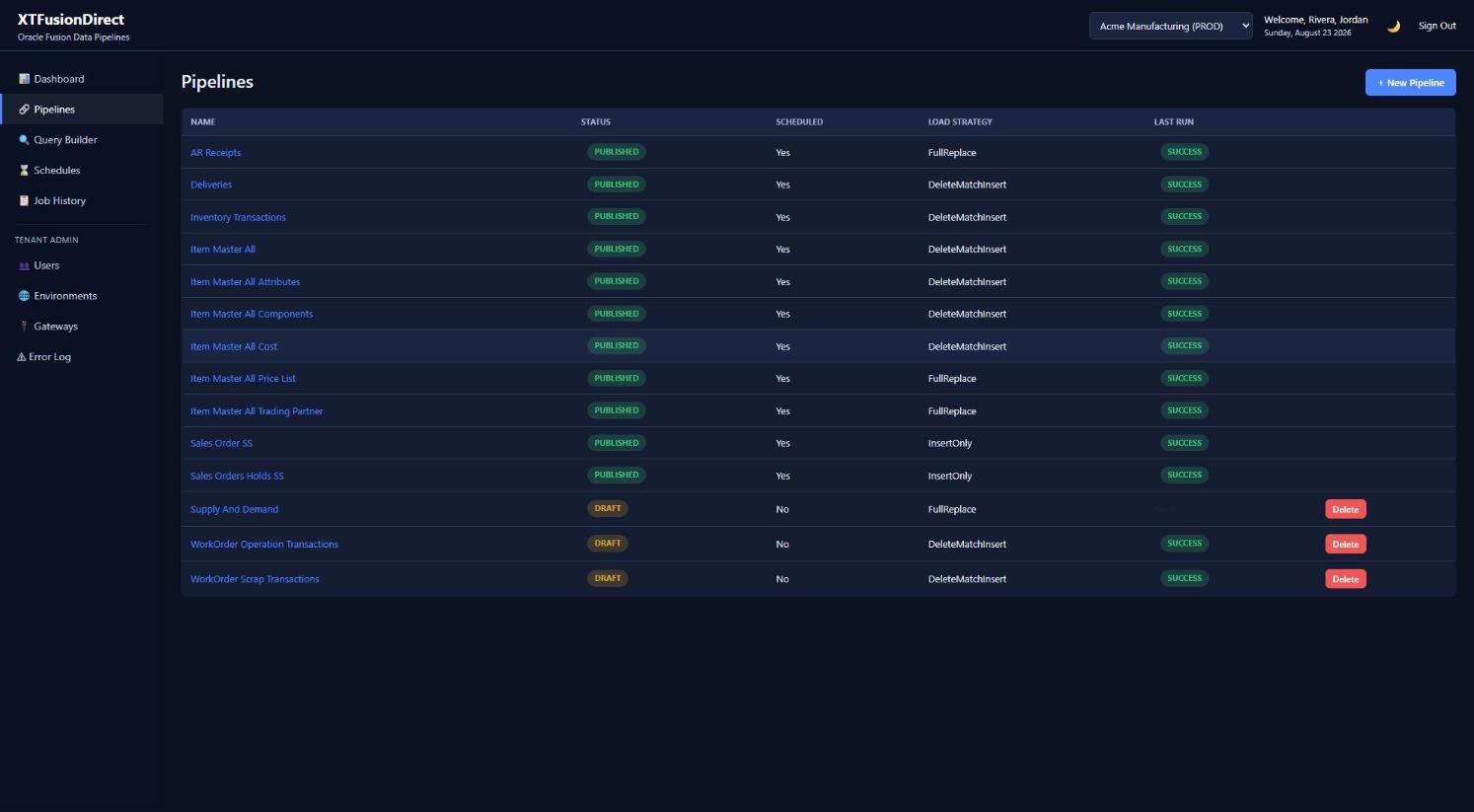
See status, schedule state, load strategy, and the result of the last run for every pipeline in the tenant — drafts and published side by side.
The core building block of XTFusionDirect.
Write and format the SQL that pulls your data, directly in the Portal, with syntax formatting built in.
Map each returned column to a SQL Server field, with type conversion shown clearly so nothing lands in the wrong shape.
Apply simple transformations — casing, trimming, defaulting nulls — before data is written to your table.
Build and validate in Draft. Nothing touches your Fusion tenant or runs on a schedule until you explicitly publish.
Preview real results with a hardcoded row cap before you trust a pipeline with a full run.
Build once, then copy a working pipeline from Dev to Test to Prod instead of rebuilding it by hand.
Choose how new data lands in your table — wizard-driven, no hand-written merge logic required.
Append new rows as they come in. Simple, additive loads.
Clear the table and reload it completely on every run.
Flag missing records inactive, then merge in inserts and updates — ideal for reference data like customer lists.
Remove rows matching a key or condition, then insert the fresh set — with a built-in guardrail limiting how many rows can be deleted in one run.
Start from an auto-generated merge and adjust the modify step yourself for cases the wizard doesn't cover.
Chain up to five stored procedures after a load completes, for downstream cleanup or dependent updates.
See status, schedule state, load strategy, and the result of the last run for every pipeline in the tenant — drafts and published side by side.
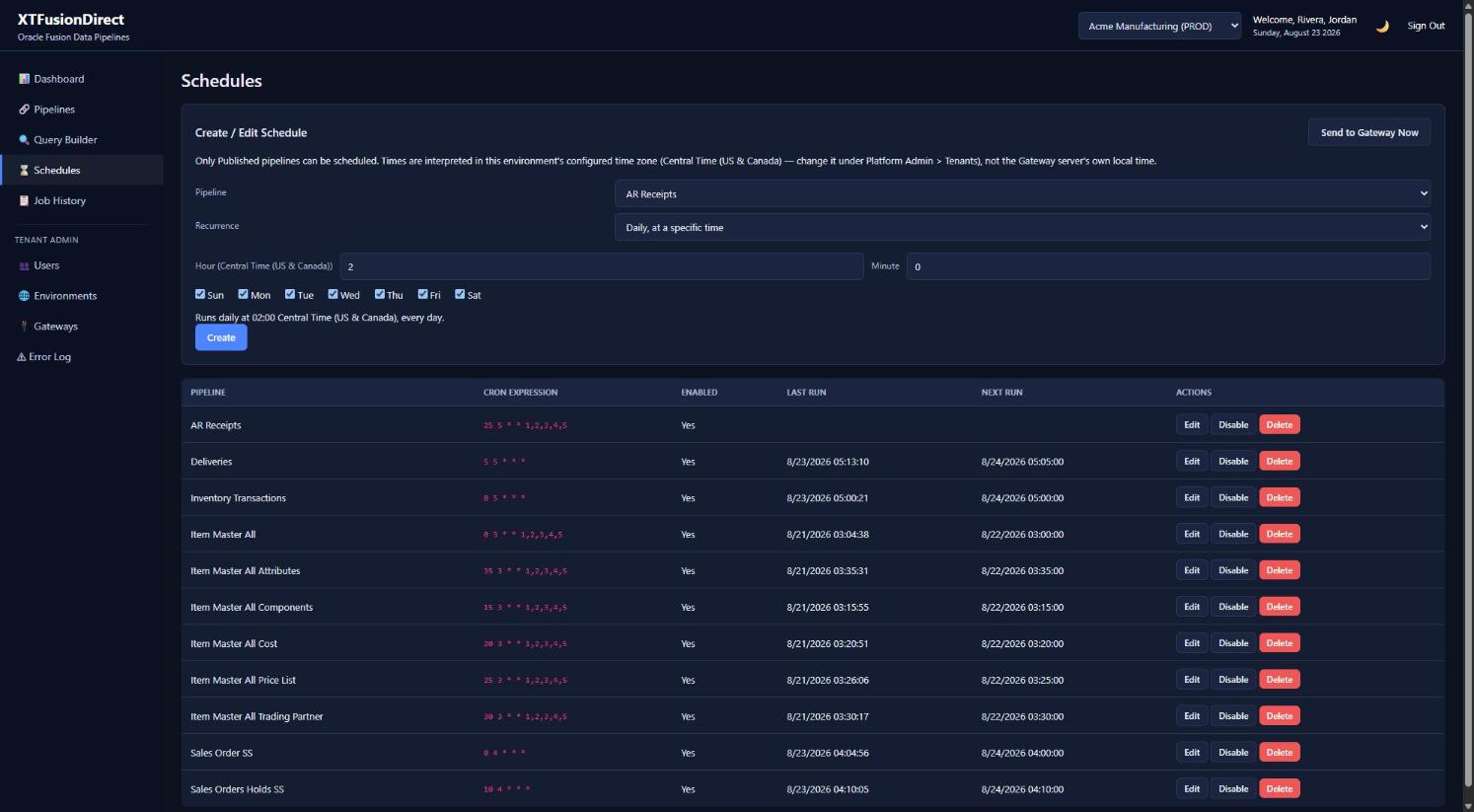
A cron-style builder handles simple daily runs up through complex, multi-condition schedules.
Each tenant environment has its own preferred time zone, handled correctly across daylight saving changes.
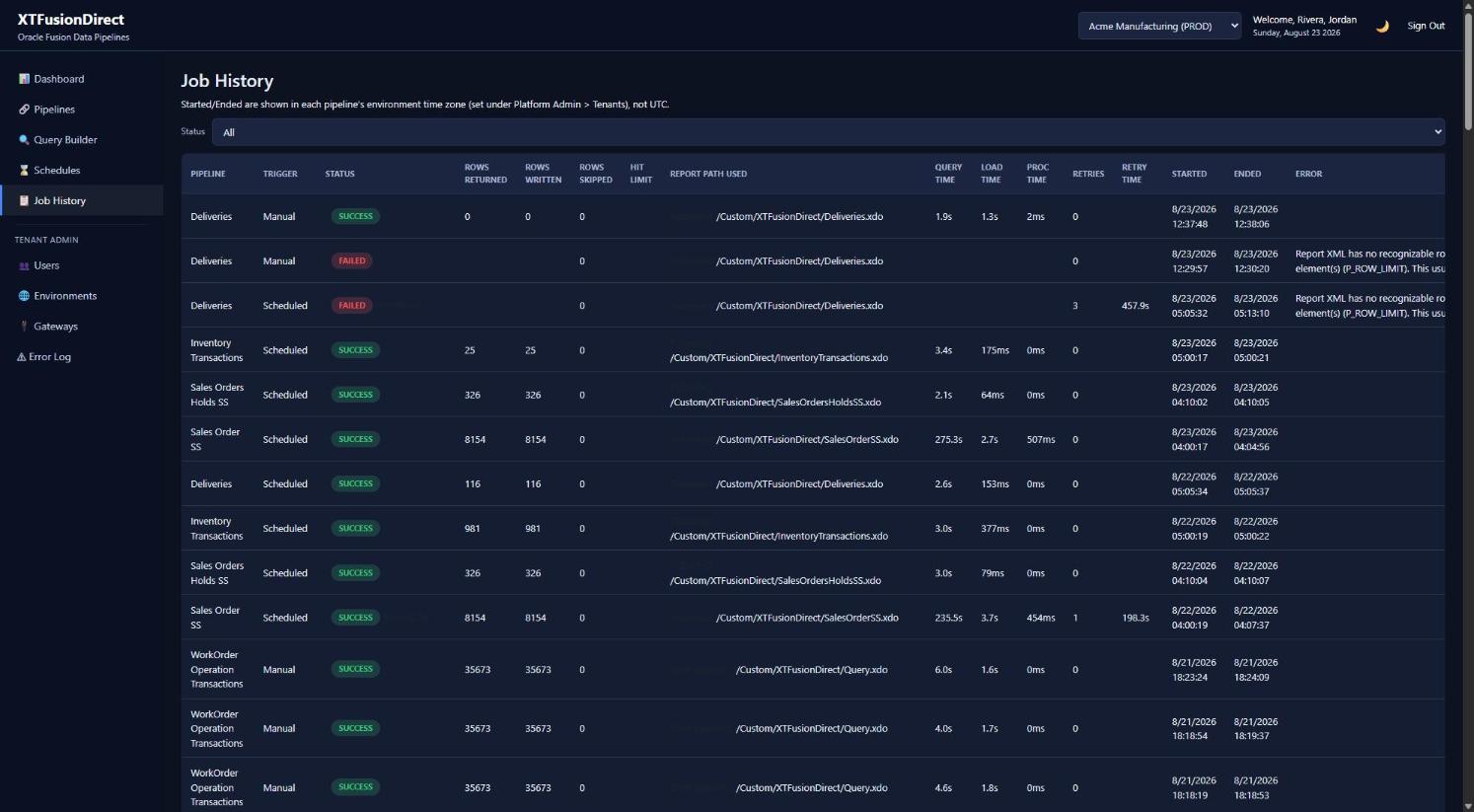
Transient failures — a dropped connection, a timeout — retry automatically within limits you control. Bad data doesn't retry silently.
A single bad row doesn't fail the whole run — it's skipped, logged, and the job finishes with a clear status.
If the Portal is briefly unreachable, the Gateway queues completed work locally and delivers it once connectivity returns.
Schedules that come due together run side by side instead of queueing — one slow nightly load never holds up the jobs behind it, and no schedule ever stacks on top of itself.
Real schedules and real job history — every run logged with rows written, retries, and a clear reason for anything less than success.